


If you missed the first two parts of this series, here’s the short version: I built a Google Apps Script to triage my inbox into three folders — Action Items, Read Later, and Noise — so I could stop treating email sorting like a productivity win and start dealing with the thing underneath it: the compulsive checking, the constant context switching. Part one covers the concept. Part two covers the build. This one is about what happened during testing — and what I kept getting wrong.

The script was running. Emails were moving. And I was still opening my inbox every hour or so to check on it.
Not to take action. Not because something felt urgent. Just to watch. To make sure it was doing what I told it to do.
That’s the moment I should have caught myself. I’d handed off the job — and then immediately started looking over its shoulder.
When Two Tools Are Running and Neither Is Enough
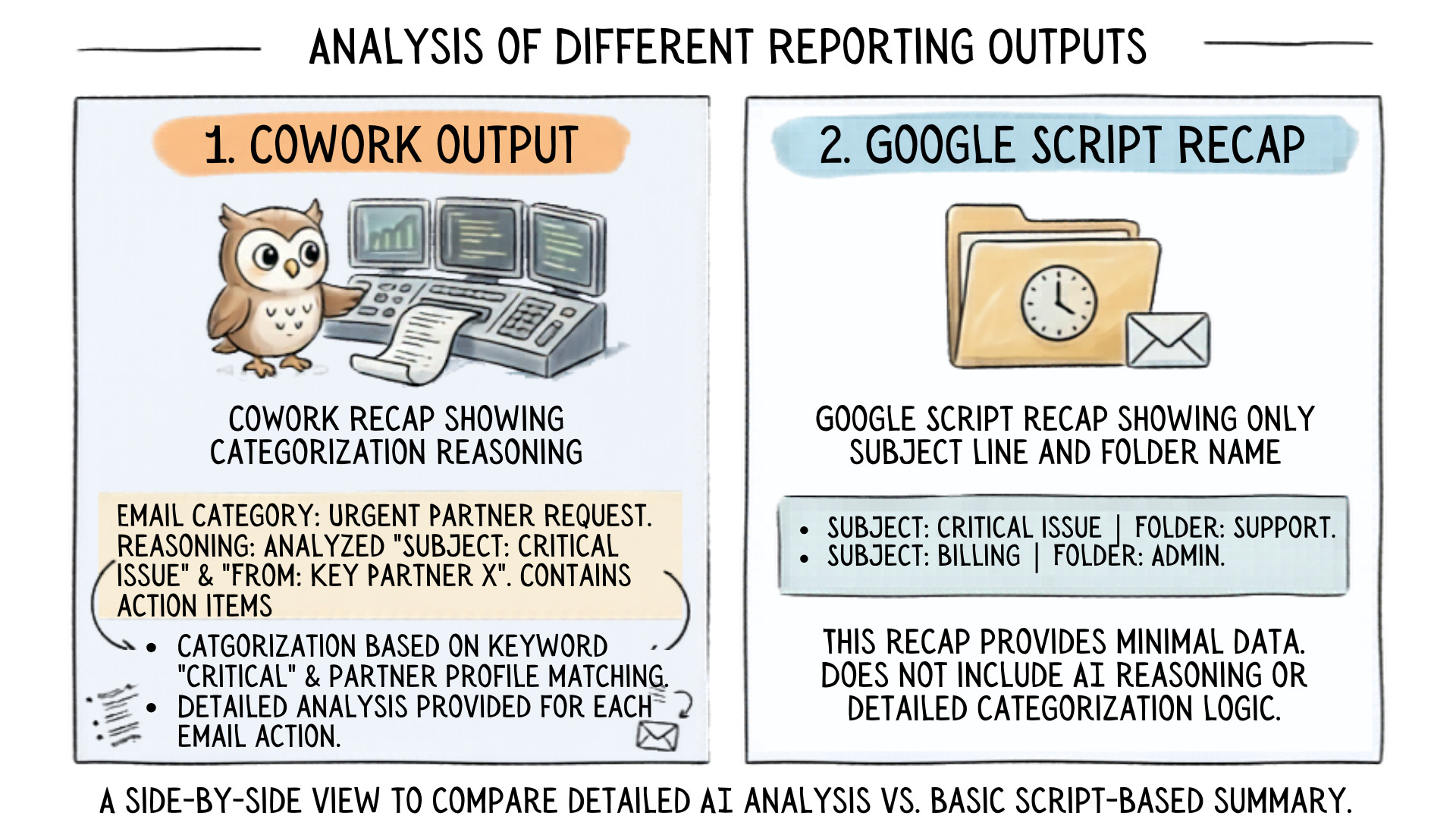
When the script wasn’t sorting things right, my first instinct was to run the same instructions through CoWork and see if it could do better. It could, in a way. CoWork read context well. It pulled from my Stripe customer list, identified who actually needed a response, and — this was the part that surprised me — it could explain why it was categorizing something the way it was.
But it couldn’t label. Couldn’t archive. Couldn’t do the actual mechanical job the script was built to do.
So for a stretch, I had both running. CoWork doing the reasoning. Google Script doing the moving. Two tools covering for each other’s gaps.
That’s not a solution. That’s a workaround.
And it told me something: the script wasn’t the problem. The instructions were.
The Brief Was the Problem, Not the Script
I’ve been hired as a consultant with ambiguous instructions. More than once.
It doesn’t just frustrate you — it makes it impossible to do the job well. You deliver something, and it’s wrong, but not because you’re bad at the work. The brief was bad. You built exactly what you were asked to build. It just wasn’t what they actually needed.
That’s what I did to my script.
I gave it instructions that were clear enough to get started but not specific enough to get it right.
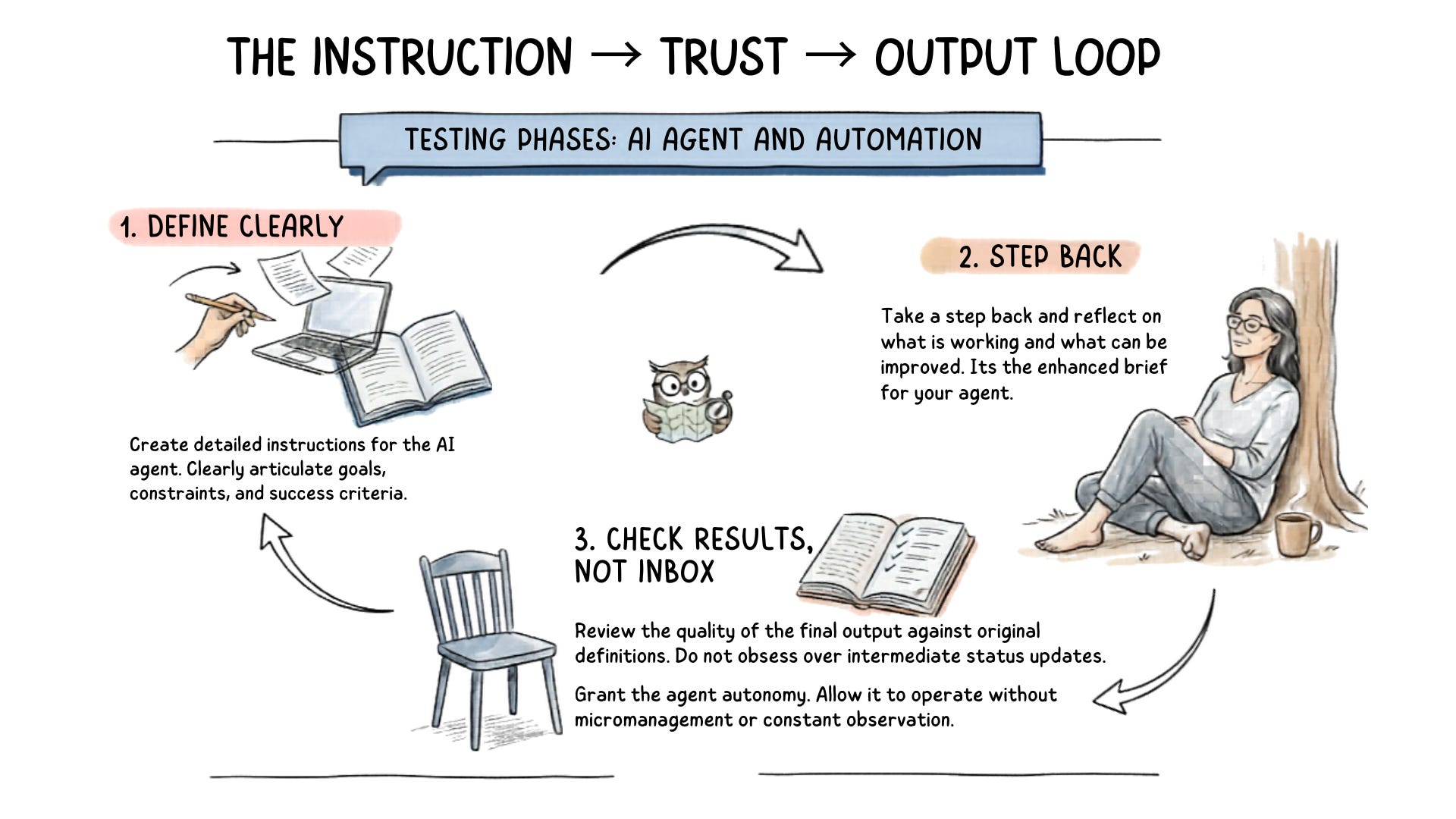
When emails landed in the wrong folder, my instinct was to pull everything back and handle it myself. What I should have done was look at the instructions and figure out where they weren’t clear enough.
The other side of that analogy matters too. When you hire someone — or something — for their expertise, you have to trust that the expertise can do the work. Hovering doesn’t improve the output. It just signals that you didn’t actually hand off the job.
What I Actually Fixed
So I stopped looking at what the script was doing and started looking at what I’d told it to do.
I took CoWork’s reasoning — how it was categorizing, why it was making the calls it made — and fed that back into Gemini alongside the current script. Here’s what this tool understands about context. Here’s what it’s getting right. Now fix the script to match.
I added the Stripe customer list so the script had the context it was missing. Names and email addresses it could recognize, not just patterns it was guessing at.
I dropped the hourly recap entirely. It felt like a safety net — proof the system was working — but it was just noise. Subject lines and folder names with no explanation of the decision behind them. Once the script had better instructions, I didn’t need a report. I needed to trust the output.
And I changed the frequency. Every hour was recreating the exact problem I was trying to solve — constant interruption, constant context switching, just automated instead of manual. Four times a day:
8:00 am
12:00 pm
4:00 pm
9:00 pm
Enough to stay current. Not enough to give myself permission to check in between.
Before You Check the Output, Check the Instructions
The script is still running. Still working through the occasional sorting quirk. Triggers needed resetting at one point — a minor fix, easy to solve, and Gemini walked me through it clearly enough that someone with no coding experience could have handled it too.
But it’s working. Not because I found a better tool. Because I finally gave the tool I had instructions good enough to succeed.
Before you check whether the automation is working, check your gut — and check the instructions. Were they clear enough for the agent to actually do what you needed? If the output is wrong, that’s the first place to look. Not the inbox. Not the tool. The brief.
It’s the same question worth asking before you automate anything: have you defined the job clearly enough for someone else to do it?
Think about it the same way you would hiring a consultant or a contractor. You bring them in for their expertise. You give them the direction. And then you trust them to do the work — because hovering over their shoulder doesn’t make the output better. It just means you never actually handed off the job.
Your automation works the same way. Give it clear enough instructions, then let it run. If you haven’t, no tool is going to fix that for you.
If you’re working through something similar — an automation that’s half-working, instructions that aren’t landing, or just the general discomfort of letting a system do something you’ve always done yourself — that’s exactly the kind of decision DigiNav is built to help you think through. Start here.