

I’ve been building a Chief of Staff dashboard for the past few weeks. It’s my command center for managing the daily operational stuff that keeps both businesses running (and me sane). But there was one piece I kept stalling on: email triage.
I knew I wanted AI handling it. I just couldn’t figure out what that actually looked like.
Then I read Jenny Ouyang’s 4 Levels of AI Automation on Build to Launch. She breaks down the different levels of automation, from “AI reads your stuff and sorts it” all the way up to fully autonomous agents making decisions on your behalf.
But the line that stopped me wasn’t about the framework. It was this: “I wanted AI to read my inbox for me.”
That was my problem. Stated plainly, without overcomplicating it.
The One Level of Email Automation That Actually Matters
Jenny breaks automation into four levels. The one that matters here is the first: AI reads your email, separates it into categories, and you deal with what’s left.
That’s it. No agents making decisions on your behalf. No complex workflows routing data between platforms. Just sorting.
Her article is written for people choosing between automation platforms.
Builders evaluating which tool fits which job. Most of us aren’t making that decision. We’re trying to figure out what we can do with the tools already sitting in front of us.
That gap is where this gets interesting.
AI Email Triage Without the Fancy Tools
You don’t need a workflow engine to get Level 1 email triage. If you’re in Google’s ecosystem, you already have what you need.
I took Jenny’s concept to Gemini because it’s native to Gmail.
The idea was simple:
write a script that reads my unread emails,
uses AI to classify them into three buckets (action item, read later, noise),
labels them, and archives them out of the inbox.
It was not a clean process.
During the testing — a simple click-the-Run-button process — I had to adjust and readjust because some emails were getting lost in the void.
Turns out, if the script archives a message before the label fully sticks, the email ends up homeless.
No inbox, no folder.
Archived in a catch-all folder with every other email you’ve ever kept. The fix that finally worked was suggested by Gemini: label first, pause two seconds, then archive.
Here’s what my inbox looks like now. Clean. Empty, actually.
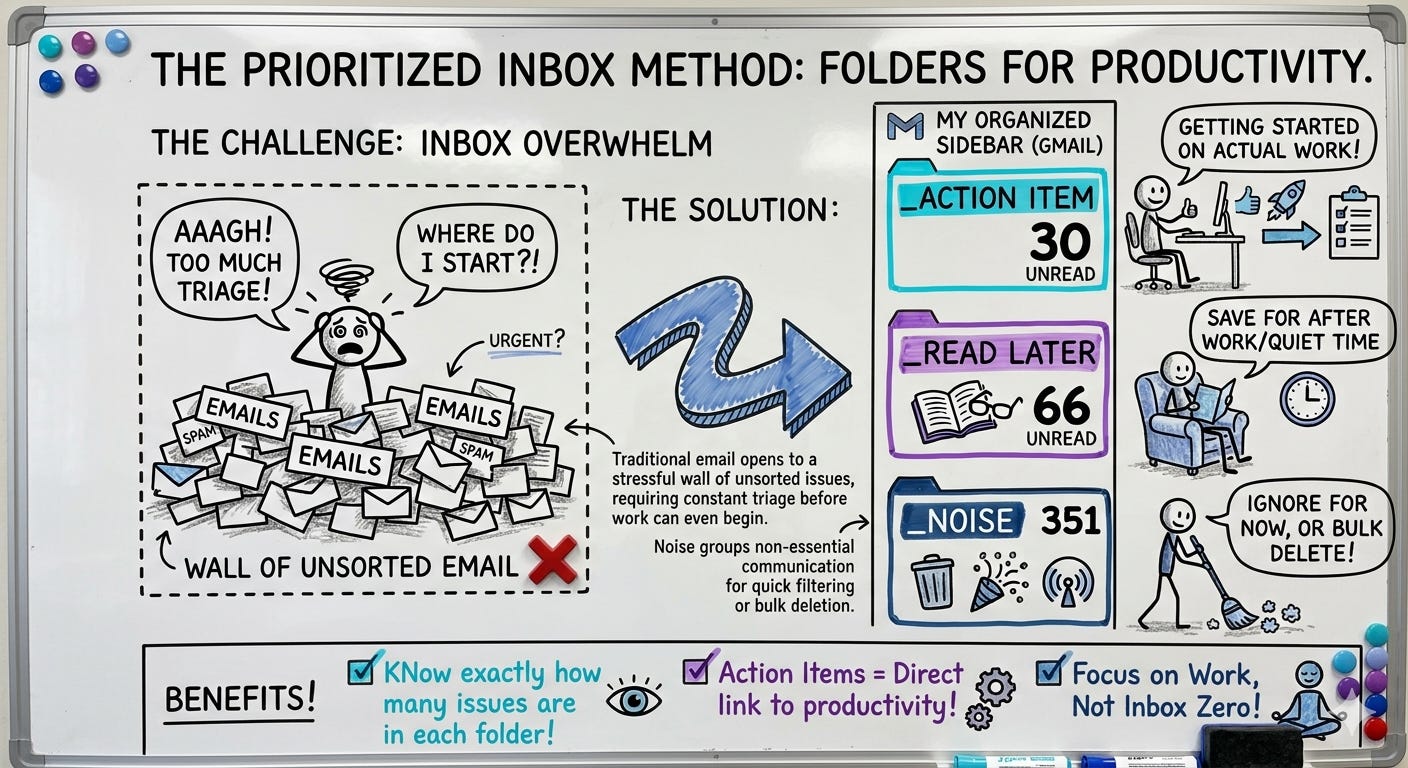
This solved one piece of the Chief of Staff dashboard I’ve been building: the triage layer I couldn’t figure out how to automate.
But here’s what the automation didn’t fix: the habit.
Even with everything sorted, I still caught myself checking email whenever time allowed. Treating the triage of email as a badge for productivity honor when it’s really just a bad work habit that needed to be broken.
The sorting is solved. The compulsive checking is the next problem.
Is This Worth Your Time Right Now?
If you’re checking email between client calls whenever time allows, or treating inbox triage like your best productivity process, then yes. This is worth your attention right now.
Not because the concept is hard to implement. It’s not. But because your time and energy are more valuable than sorting emails into folders by hand. The real question isn’t whether you can automate this. It’s whether you’re willing to stop doing it yourself.
Figure out your categories. Find the simplest tool that sorts into them. If you’re in Google’s ecosystem, you already have what you need. The automation is the easy part. Trusting the system enough to stop checking is harder.
Jenny’s full article is here: 4 Levels of AI Automation. It’s worth reading even if you never touch a workflow engine, because the levels help you name what you’re actually trying to build.
Here’s the question worth sitting with: What are the three folders that would cover 90% of your inbox? Action items, read later, and noise worked for me. If you named yours, you’d already have the blueprint for what to automate — and what to stop checking.
Yes, can imagine that being a hard habit to break. Think I’d like AI to sort my “shopping email” 😅
I relate to this so much Lee! Especially on the habit part, after all those automations, I'd still open my inbox to check for important information, lol
Thank you for the shout out through out!