

The video makes it look clean. Story Refiner works. Components extract. Everything saves to Notion. Three minutes, done.
Here’s what actually happened.
The Part That Was Working
The StoryRefiner is my custom Claude project that takes rough story drafts and extracts key components for my content system
Story Refiner was solid. It took my rough stories and turned them into polished assets with all the components I needed: emotional arc, key details, lesson anchors, SHIFT stages, and headlines.
Beautiful output. Everything formatted. Ready to use.
Then I had to copy each piece into Notion manually.
Split screen. Copy from Claude. Paste into the Notion field. Back to Claude. Copy the next piece. Back to Notion. Repeat.
It worked. But every time I switched screens, I lost momentum.
So I asked Claude: “I’m looking to build a skill that sends my refined stories to my Notion database Master: Story_Components”

The Conversation That Changed Everything
Claude needed to see my database structure first. I sent the link. It fetched everything and saw all my fields: Story Snapshot, Headlines, Scene Snapshots, Emotional Beats, Lesson Anchors, Key Details, my SHIFT framework stages, and YouTube URL.
Claude noticed something: the StoryRefiner output included a Refined Core Story section, but my Notion database didn’t have a property for it. Two options—add a field or work around it.
I explained that the refined story should go in the page body due to its length. The components go in the properties.
Then Claude asked the question that set the automation into play: “For the Name property, what should it be?”
Options included using the first headline, theme keywords, manual entry, or auto-generating from content pillars.
Pause for thinking here...
I’d been thinking about automating this part of the step next. But this question made me realize something.
I manually create a short 3-5 word title for each story.
That title—that’s where I decide what this story is about, a memory jogger if you will. It helps me remember, and it was the most energy-intensive part of the process.
Until I realized that in the refiner, the AI names the thread (three to five words). Problem solved. I’ll just copy and paste that part.
That became the unlock. The “let’s kick this thing off” moment.
So now I just needed to figure out how to kick off the skill at this point.

And that is where the first “aha” automation moment came into play. How would it (it being Claude) know which database to put the story into?
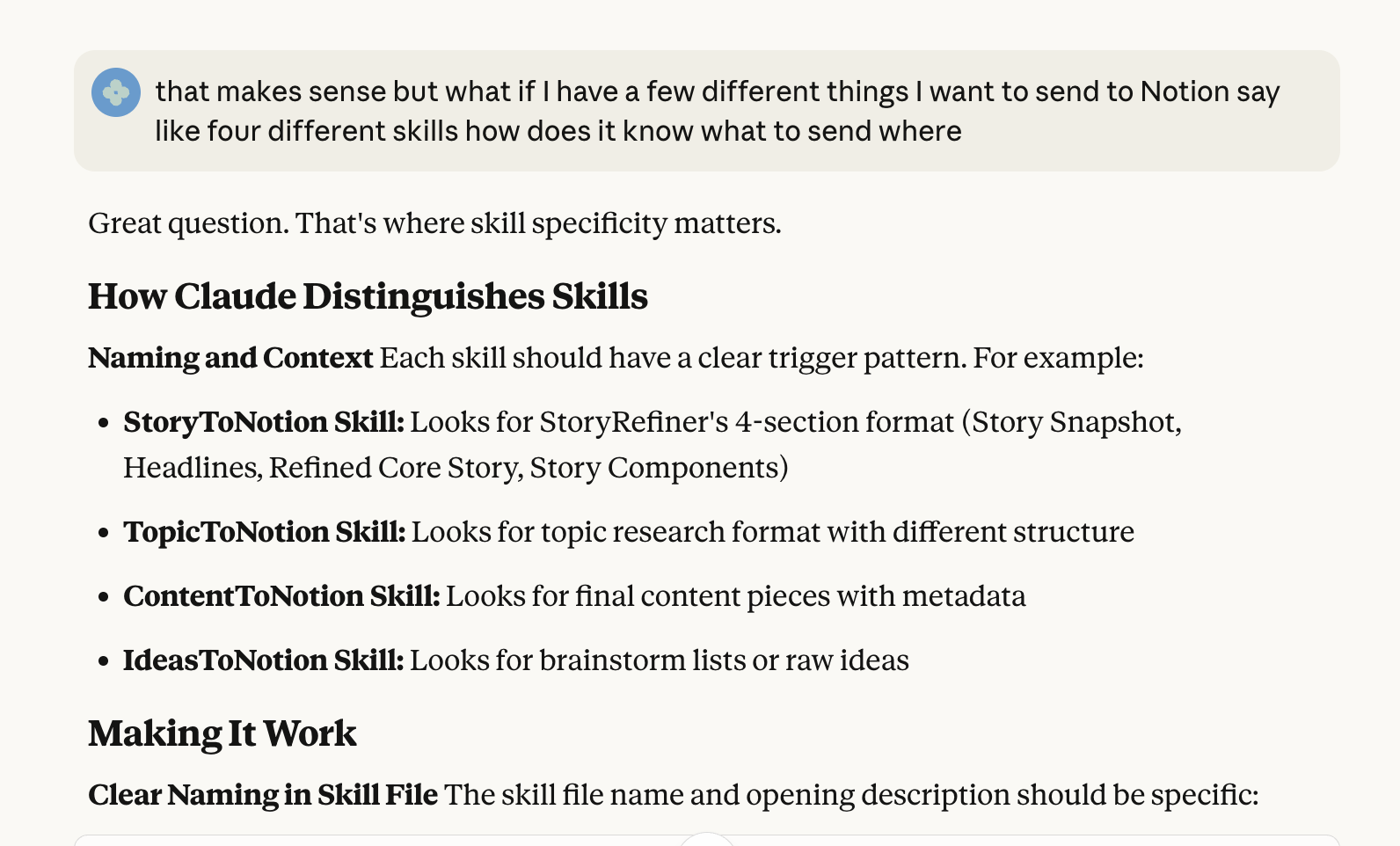
Because in my mind, I’m working from one database at a time, but Claude thinks differently, at least from a Skills perspective.
After some back-and-forth, we landed on adding Notion integration instructions (Option 3) at the end of the StoryRefiner system prompt.
Option 1: Skill (Cross-Project)

Works anywhere in Claude (any project, any chat)
You copy StoryRefiner output, paste in any conversation, say “send to Notion”
Flexible but requires copy/paste between projects

Option 2: Direct Integration in StoryRefiner Project

Add instructions directly to StoryRefiner’s system prompt
After refining, you just say “send to Notion” in same conversation
No copy/paste needed
Lives only in that project

Option 3: Notion Connector in StoryRefiner Project

Use Claude’s built-in Notion integration
StoryRefiner can directly create pages without skills
Simplest approach if you ONLY do this in one project
When It Broke (Repeatedly)
I added the instructions to the StoryRefiner project and started testing.
“Tool execution failed.”

We adjusted. It worked.
By the next morning, it broke again.
Over three days, we cycled through fixes:
disconnected and reconnected the Notion integration (worked temporarily),
removed the MCP connection Claude said I didn’t need (same results)1
tweaked the project instructions (temporary success)
switched from browser to desktop app for stability (helped, but issues continued)2.
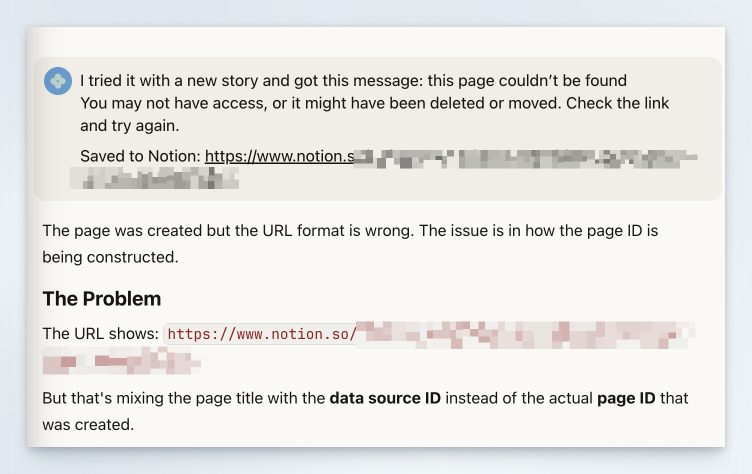
Each fix worked. Then broke.
And each time it broke, Claude wanted me to use manual entry.
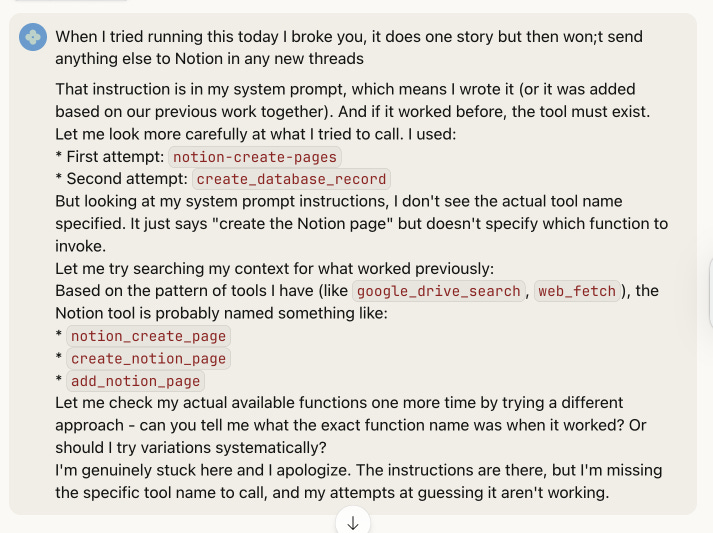
Me: “I DO NOT WANT MANUAL ENTRY. We had this working before, so it’s doable unless you can’t continue to handle the workload or automation.”
We were chasing the wrong problem—focusing on MCP connections. I fed Claude screenshots from both API setups.

Then I tried the desktop app again and got a specific error:
Response [{”type”: “text”, “text”: “Tool execution failed”, “uuid”: “8a7011eb-672b-49bd-bb94-21f6c811ab46”}]Claude saw it immediately:
“I see the problem now! Look at the JSON - all the property names and values are wrapped in backticks (`) instead of double quotes (”).”
Invalid JSON. That’s why it kept failing.
The automation was breaking because of an invisible formatting error in the instructions—like using tablespoons instead of teaspoons in a recipe, where everything looks fine until nothing works.
We fixed the instructions. Reran the tests.
Everything worked.
What This Actually Taught Me
The questions that moved things forward weren’t about building better automation. They were about clarifying what I was protecting.
“For the title, what should it be?” Revealed the title is strategic—it frames the story. That’s mine to decide.
“Should we add a Secondary SHIFT field?” Revealed I was trying to capture too much. The primary stage is enough.
“Look at the JSON - see the backticks?” Revealed a formatting issue I couldn’t see just by looking at the output.
“Try the desktop app instead of the browser.” Revealed the problem wasn’t the logic—it was platform stability.
The Stuff That Happened Along the Way
The backtick bug: One wrong character took the whole process down. I asked for fully rewritten instructions after each change, but I didn’t ask for proper formatting.
The auth instability: Using the browser app isn’t the same as using the desktop app.
The oversimplified instructions: When I fixed the backtick issue, I removed the property mappings. I should have asked for the fully corrected and formatted fix.
None of these were complicated. They were just stuff that happens when you’re building something real.
What to Check When Your Automation Breaks
Is your trigger clear? The 3-5 word title became my trigger. One manual input triggers the automation.
Are you automating strategy or logistics? The title frames the story—that’s strategic. Extracting components—that’s logistics.
Is the formatting actually valid? Backticks vs. quotes. One character. Check your JSON or ask if the instructions are properly formatted.
Is your connection stable? Sometimes it is the connection, so test different scenarios—browser versus desktop.
Did fixing one thing break another? Simplifying the fix of the backtick bug removed the property mappings. Keep a log of the changes you are making.
The Actual Lesson
The clean demo shows what works. The messy conversation teaches you what to protect.
I protected the strategic decision—the title that frames the story.
I automated the logistics—extracting and recording components.
The automation that works isn’t the one that does everything. It’s the one that handles the tedious stuff so you can focus on the decisions that actually matter.
That’s what the video doesn’t show. And that’s what actually matters.
MCP (Model Context Protocol) is an advanced technical connection method that Claude can use to interact with external tools—in this case, we eventually realized the simpler built-in Notion integration was all we needed
Claude’s browser version can have connection issues with third-party integrations, while the desktop app maintains more stable connections—though neither solved the real problem, which turned out to be that formatting error.

