

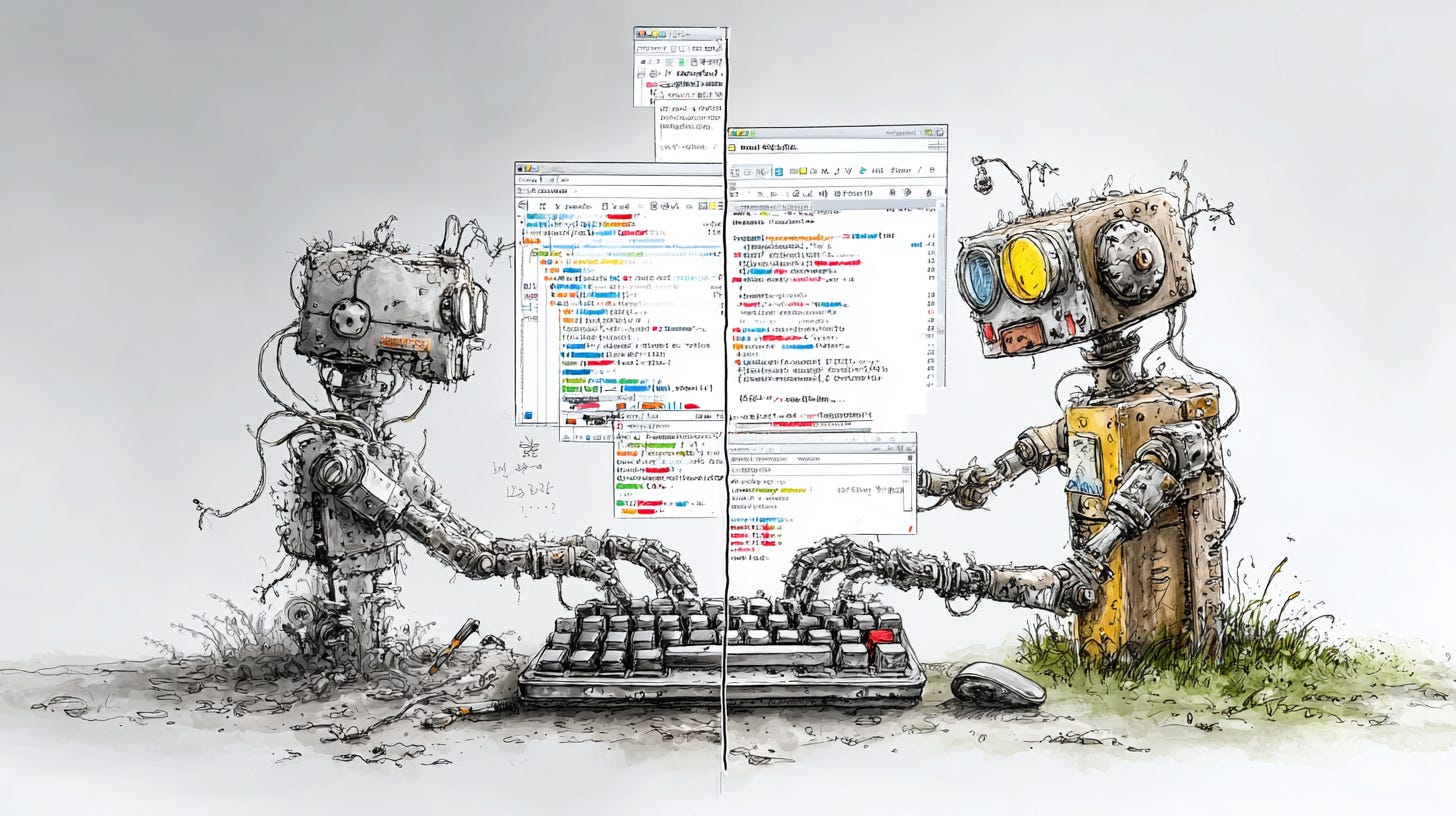
I saw someone’s Claude Code content system and thought I’d found the answer. Run a command, AI generates an article, done. Automation. Structure. Efficiency. Exactly what I needed.
So I started rebuilding my workspace to work like theirs. I copied their automation scripts into my content workspace. I mapped out their workflow: brief the AI, let it research and draft, and review the output. Clean. Systematic. Impressive.
(Quick note: Claude Code is terminal-based, Cursor is visual interface-based. Both use Claude AI, with different execution styles. More on that in a minute.)
Halfway through the rebuild, I realized what I was actually doing: automating myself *out* of the creative process.
Their system was brilliant—and it worked perfectly for their workflow. But here’s what I missed: even though I can build and code, when I’m creating content, I need to think *creatively*, not *technically*. I need to be part of the process throughout—asking questions, making judgment calls, shaping direction as ideas emerge.
I was building a vending machine—insert prompt, receive content—when what I actually needed was someone to think alongside me.
The tool wasn’t the problem. My approach to using it was.
Understanding AI Tools: Agents, Rules, and Skills
Before I explain what went wrong, here’s what these tools actually are—because the terminology gets confusing fast.
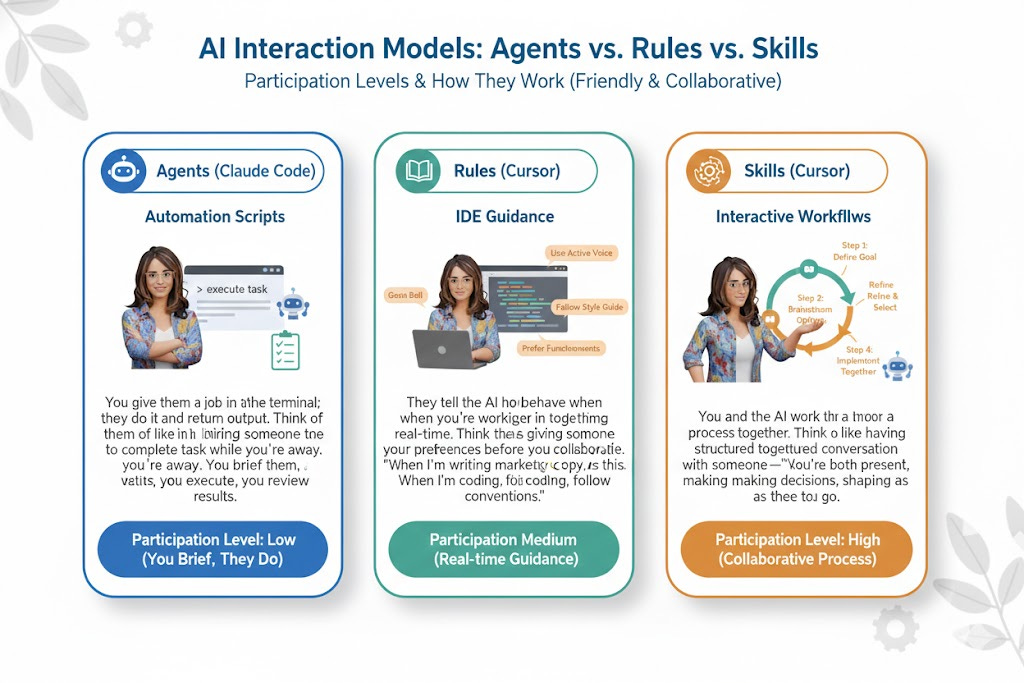
Agents (in Claude Code) are automation scripts. You give them a job in the terminal; they do it and return output. Think of them like hiring someone to complete a task while you’re away. You brief them; they execute; you review the results.
Rules (in Cursor) are IDE guidance. They tell the AI how to behave when you’re working together in real-time. Think of them as giving someone your preferences before you collaborate. “When I’m writing marketing copy, use this voice. When I’m coding, follow these conventions.”
Skills (in Cursor) are interactive workflows. You and the AI work through a process together, step by step. Think of them like having a structured conversation with someone—you’re both present, making decisions, shaping the outcome as you go.
Same AI. Different execution models. Different levels of participation are required from you.
The question isn’t “which tool is better?” The question is: which execution model fits the kind of work you’re doing?
Why Automation Fails for Creative Work
Here’s what I almost did (and what I see a lot of people do): I approached content creation from a *technical* mindset instead of a *creative* one.
The technical mindset says: “How do I make this efficient? How do I build a system that runs a process and produces output?” It’s the same thinking you’d use to set up email filters or schedule social media posts in advance. Figure out what repeats, build the system once, and let it run.
That works beautifully for repetitive tasks. But creativity isn’t repetitive. You can’t automate taste. You can’t script insight. You can’t batch-produce your voice.
What I realized halfway through rebuilding my workspace: I was trying to factor myself into the process “in big chunks”—at the beginning (write the brief) and at the end (edit the output). Everything in the middle? Hand it to the machine.
That’s not collaboration. That’s a production line.
And here’s what that actually costs you: the work feels hollow. All those little moments where you’d normally ask a follow-up question, and the whole direction shifts? You miss them.
The judgment calls that make it sound like *you*? They’re not there. You end up managing AI output instead of actually creating something.
It’s not the tool’s fault. It’s what happens when you try to completely remove yourself from the creative process.
So I stopped trying to copy their system and started rebuilding for how I actually work. Not “how do I make this more efficient,” but “how do I stay in the conversation while still getting structure and support?”
Three decisions changed everything.
How to Structure AI Collaboration (Not Automation)
Step 1: Separate Workspaces by How You Think, Not What You Build
I used to have everything in one workspace: code projects, content drafts, someone else’s automation setup, and my positioning docs. Every time I opened Cursor, the AI loaded context for *all of it*—coding guidelines when I was writing, editorial voice when I was debugging.
The fix wasn’t organizing by file type. It was organized by *workflow type*.
What I did:
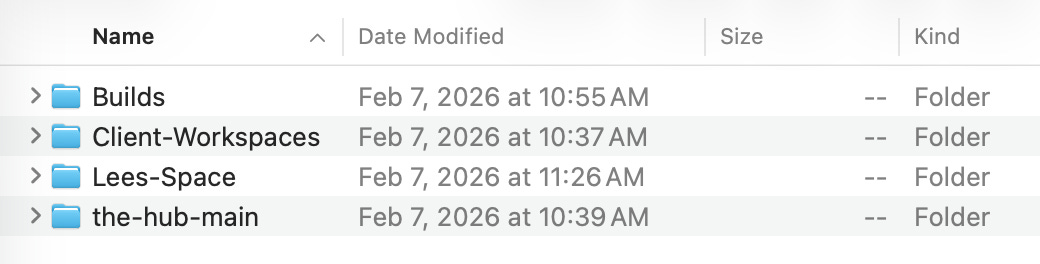
Created a “Builds” folder — All code projects (where automation makes sense)
Created a “Lees-Space” folder — All content work (where collaboration makes sense)
Created a “Client-Workspace” folder — Future client projects
Inside Lees-Space, I created another separation: a content-lab subfolder for editorial work and a marketing-assets subfolder for conversion copy. Each has its own rules folder, so the AI loads the right context for the right job.
Why this matters: When you’re creating, the AI should load your voice guide and editorial process—not your coding configs and debugging tools. Separation isn’t about organization. It’s about focus.
Step 2: Build Roles for the AI, Not Scripts
Instead of building automation scripts that “go do the work and come back,” I built rules that define how the AI collaborates with me during different phases of content creation.
What rules are: Think of them as instruction files that live in your workspace. When you’re working in Cursor (the visual editor), the AI reads these rules and adapts its behavior to match. They’re like giving someone your collaboration preferences before you start working together.
What I actually created:
800-article-ceo — The strategic interview role. I answer questions, the AI structures my brain dump into a blueprint.
810-article-write — The drafting partner role. The AI suggests how to frame sections, I write and edit to match my voice.
820-qa-voice — The voice checker role. I review, the AI spots where I’m drifting from my positioning.
830-seo-optimizer — The visibility role. I approve decisions, the AI helps optimize for search without killing the voice.
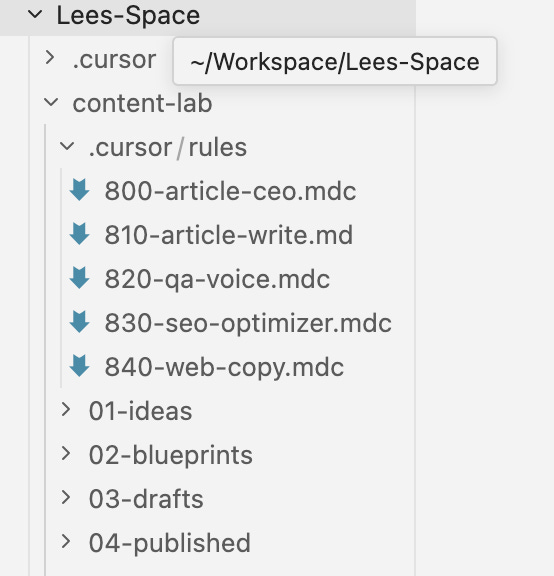
The numbers ensure they load in order—content strategy first, then drafting, then refinement, then optimization. The .mdc file extension just means “markdown with cursor rules”—nothing fancy.
These aren’t scripts. They’re collaboration agreements. The AI knows what role to play, and I’m in the conversation the entire time.
The moment this clicked: I was about to convert someone else’s SEO automation script into my system. Then I realized—I don’t want the AI to do SEO for me. I want it to help me think through SEO decisions. Same job. Different execution model. I built a rule instead of a script, and suddenly I was part of the decision-making process, not just reviewing the output.
Step 3: Keep Yourself in the Conversation
This is the part that’s easy to miss: collaboration requires real-time participation. You can’t batch it.
What this looks like in practice:
When I’m blueprinting, the AI asks me three strategic questions and waits for my answers before building the outline. I’m not feeding it a brief and walking away—I’m answering in the moment, and my answers shape what gets built.
When I’m drafting, we move through the sections section by section. The AI suggests how to frame a section; I write it in my own words, we review it together, and adjust before moving forward. I’m not editing a completed piece—I’m shaping it as it emerges.
When I’m optimizing for search, the AI proposes changes, and I approve or reject them one by one. I’m not reviewing a batch of edits—I’m making judgment calls in real time.
The transferable principle: If you can’t be part of the conversation during the work, you’re not collaborating—you’re delegating. And delegation works great for tasks that don’t require your taste, but terrible for work that does.
What This Really Requires
Here’s what this approach doesn’t require:
You don’t need to be a developer
You don’t need to understand how AI models work under the hood
You don’t need to write code or live in the terminal
Here’s what it does require: knowing how you think when you’re creating something.
Do you need to be part of the conversation as ideas take shape, or are you comfortable handing off a brief and reviewing the result? Do you think in back-and-forth dialogue, or do you think in structured plans you execute alone? Do you make your best decisions in the moment, or after you’ve seen the full picture?
There’s no right answer. But there is a fit question.
Some people can hand off creative work and edit the result. Others lose their voice that way. Some people think best when they’re reacting to something in real time. Others need space to process alone first.
Neither is better. But if you’ve ever felt like something was “technically fine but not quite right,” and you couldn’t figure out why until you realized you weren’t part of shaping it—that’s the signal. You don’t need better tools. You need a process that fits how you actually think.
TL:DR
If you only take away 4 things from this post, make it these:
Automation and collaboration are different execution models. Agents automate (you brief, they execute, you review). Rules guide (the AI adapts to you in real time). Skills collaborate (you work through it together, step by step). Same AI, different levels of participation.
You can’t automate creativity. The technical mindset (make it efficient, eliminate manual work) works for repetitive tasks. But creativity requires taste, judgment, and your voice—and those can’t be scripted. You can structure collaboration, but you can’t automate insight.
Separate your workspace by how you think, not what you build. Code projects and content creation require different workflows. When they share the same workspace, the AI loads irrelevant context every time. Separate them so the AI focuses on what matters for the job at hand.
If you’re not in the conversation during the work, you’re delegating, not collaborating. Delegation works for tasks that don’t require your taste. Collaboration is required when the work needs your voice, your judgment, your real-time decisions. Know which one you’re doing.
The Real Cost of Automating Creativity
Here’s what happens if you keep trying to automate creativity:
You’ll spend weeks building the perfect system. You’ll set up agents, write detailed briefs, and refine your prompts. The AI will produce content. You’ll edit it. And something will feel off.
The work will be fine. Technically correct. But it won’t sound like you. The little moments where your perspective comes through—the turns of phrase, the judgment calls, the tangents that actually make the point land—they’ll be missing. You’ll read it back and think, “This is almost right, but not quite.”
And here’s the part that’s hard to spot until you’re in it: you’ll start adjusting yourself to fit the system. You’ll write briefs that produce better output. You’ll edit in a way that preserves what the AI generated. You’ll optimize for the tool rather than the idea. You’ll become a prompt engineer managing a production line instead of a creator making something that matters.
Let’s do the math: You spend 2 hours building the brief, the AI works for 30 minutes, and you spend 3 hours editing the output to sound like you. That’s 5.5 hours. You could have written it yourself in 4 and actually enjoyed the process.
The efficiency promise is a trap. You’re not saving time. You’re spending it differently—and losing your voice in the process.
Ready to Rebuild Your Process?
So here’s my question for you: What’s one piece of content you’ve been trying to create, and what’s stopping you from just sitting down and making it?
Is it that you don’t have a system? Or is it that the system you’re trying to build is getting in the way of actually creating?
Because here’s what I help people with: figuring out how to use AI as a thinking partner instead of a replacement for thinking. Not “here’s the tool,” but “here’s how to structure collaboration so you stay in the driver’s seat.” If that sounds like the kind of conversation you need to have, let’s talk.
Want the actual files I built for this? I’m sharing the full breakdown—the .mdc rule files, the workspace structure, the conversion process from agents to rules, plus screen recordings of how it all works in practice—as a companion piece for paid subscribers.
Inspiration & Credit:
This article was inspired by the excellent work of Daria Cupareanu on Claude Skills, Alex McFarland’s Claude Code writing system, and Jason Resnick’s Cursor-based workshop on The Hub Workshop.
Their approaches to AI collaboration helped me see what was possible—and gave me the language to articulate what I was building.
Awesome system, Lee! I got a very similar one.
Agree with you on the automation of creative work - esp. when it comes to long-form writing. I think this kind of automation could work only if you want to cover just news, let's say. If you actually want to deliver more value, beyond the usual headlines, it doesn't really work.