

This week I read Karo (Product with Attitude)’s deep dive on Cowork connectors. If you’re not familiar with her, Karo writes for builders and product managers who are serious about getting Claude to actually perform — not just respond.
I’m big on organization especially when it comes to AI use and conversations. So her guides are always well-organized and specific in a way that makes you slow down and take note even when the technical details aren’t directly relevant to what you’re doing.
I read this one because Cowork is where I’m spending more of my time this quarter, and Karo has a way of laying things out that makes you look at your own setup and think: wait, am I being sloppy about something that matters?
The article covers a lot of ground — connector architecture, permissions, using Notion as persistent memory. Good stuff, worth reading on its own.
But the thing that I got the most out of wasn’t the technical setup of CoWork. It was something simpler underneath it: the names you give your folders are instructions to Claude, not just labels for yourself.
The names you give your folders are instructions to Claude, not just labels for yourself.
Karo’s folder structure is deliberate. Each name signals what Claude should do with what’s inside it. Easy to skim past when you’re looking for the architecture details.
The kind of thing that’s obvious in hindsight and invisible until someone makes it explicit.

Two things I took from Karo’s setup that didn’t require me to build anything new:
Sub-folders beat a flat root. Before reading this, everything except outputs lived in my root folder. One folder. Everything dumped in. It works until it doesn’t — and when it doesn’t, it usually means Claude is filling in gaps you didn’t know you left.
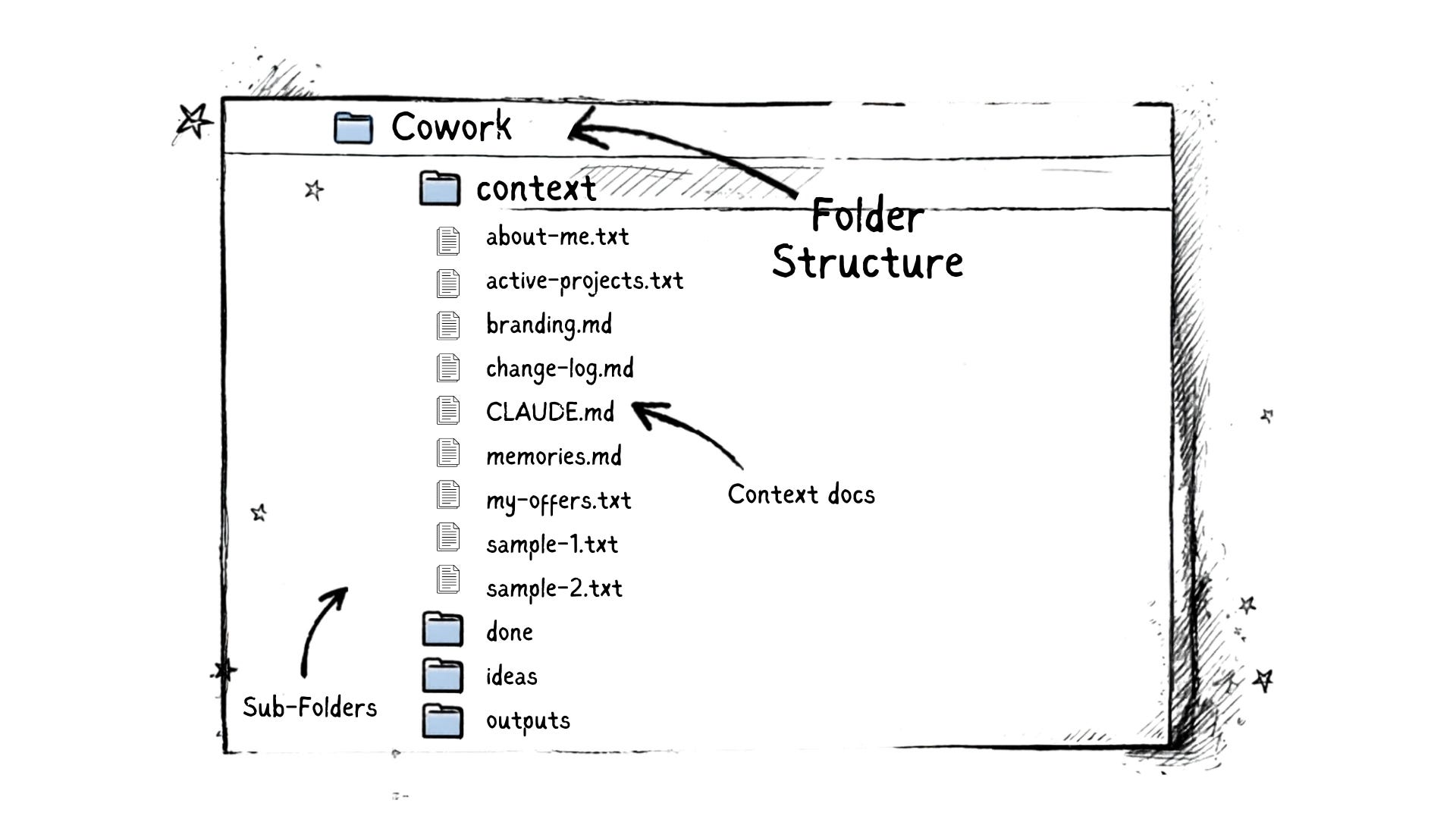
The rename that clarified something I hadn’t noticed. When I ran the article through a conversation with Claude, it flagged one specific thing: my folder called references should probably be called context. I didn’t push back. It made sense immediately.
Here’s why it matters.
References, to me, means sources: supporting documents, things I cite, external material. Context means something different: what Claude needs to understand my world. My voice. My audience. How I think about problems. Those two things were living under the same name, and that name was doing the wrong job.
The practical move is simple: look at your Cowork folder setup and ask whether the names mean what you think they mean to Claude — not just to you. That’s a five-minute audit. It won’t overhaul your system. It might just make it work the way you thought it already did.
If you’re using Cowork and have any kind of folder structure in place, this is worth 20 minutes now. Not to rebuild from scratch — just to look at what you named things, how you’re set up — and whether those names are doing the right job.
If you’re not in Cowork yet, this type of thinking works with other file management best practices. Starting with intentional folder names is a better foundation than cleaning them up later. Either way, go read Karo’s full article. The Notion memory setup alone is worth the time.
Karo’s full article is here:

One question to sit with:
In your current Cowork setup, is there a folder named something that made sense to you when you created it — but might mean something different to Claude? That’s your starting point.
Super good advice! :)
OMG Lee, this made me so happy to read! Thank you for reading it and taking the idea even further 🤗