

TL;DR: A working process can still have steps you no longer need. When your tools or needs change, review those steps, keep what works, and test one small improvement. The prompt below helps you work through that review.
The workaround was creating more work
For several months I've been working on an email triage system so that things coming into my inbox were not getting lost in the shuffle between the agency that I still run and here at DigiNav.
Originally, the way that I set up the triage was that the sorting would be handled by Claude to decipher what needed my attention, what needed my response, what was just noise, and so forth.
The problem with that was that in order to get the emails to a place where they could be sorted, I had to forward my agency emails, which were in another Google Workspace account, into my main email account that was hooked up with the AIs.
And that caused a small, tiny friction: two copies of the same message in different email accounts.
✳︎ ✳︎ ✳︎
Hi, I’m Lee. Welcome to DigiNav Compass Signal, where I share what happens when AI and technology meet a real business. The useful parts, the messy parts, and what you can take into your own work.
Today, I’ll be showing you how one change helped me improve my email process, and how you can review a working process of your own.
✳︎ ✳︎ ✳︎
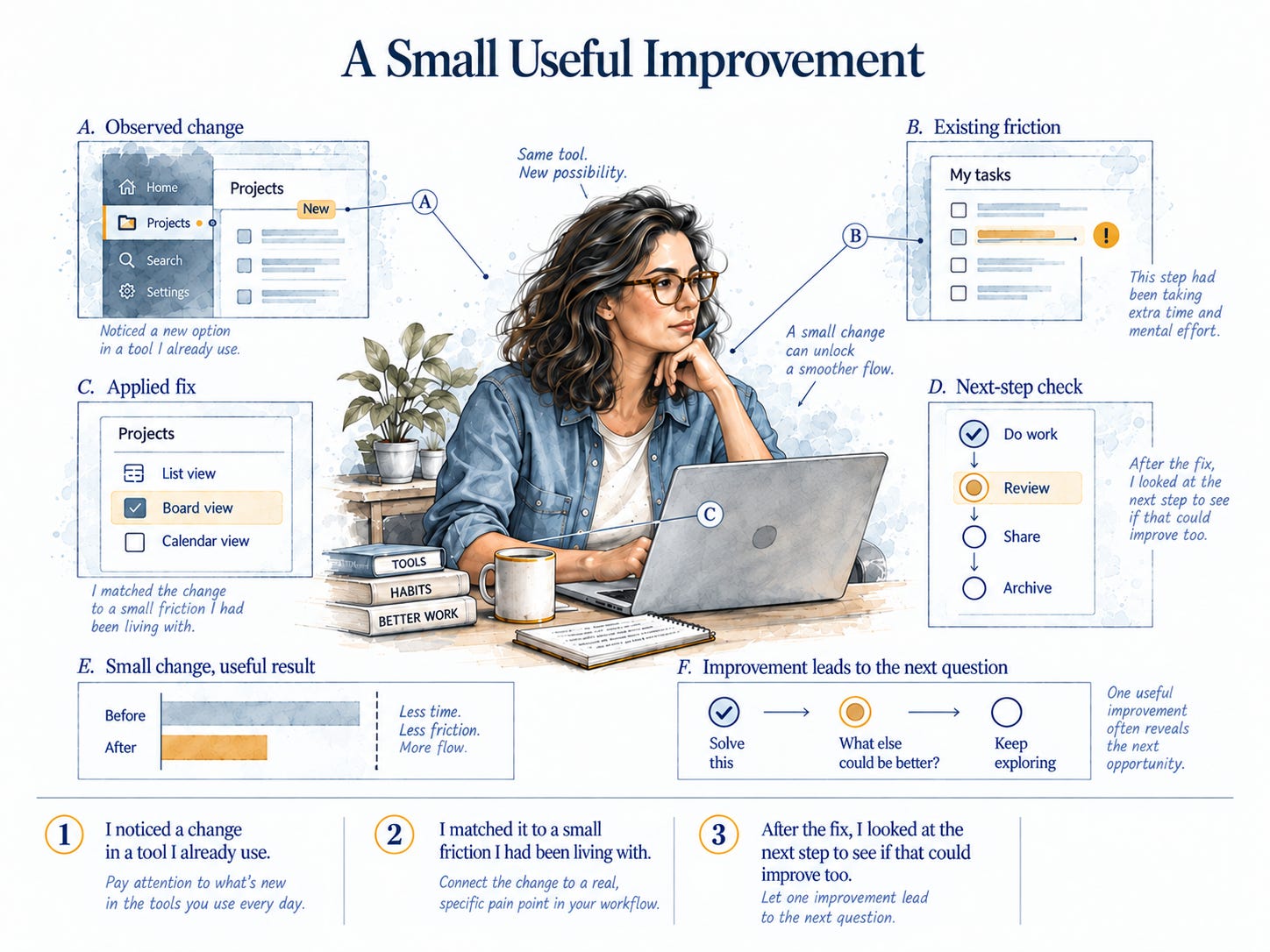
The short version is that I did three things:
I noticed a change in a tool I already use.
I matched it to a small friction I had been living with.
After the fix, I looked at the next step to see if that could improve too.
If you have a process that works but still has a little extra handling in it, this is for you.
When the help account was reviewed, the copy was still there, and it made it look like it was either sitting in the inbox or unfinished.
Still, the sorting system was useful. It was working. Emails were getting sorted, nothing was getting lost anymore, and I just went and cleaned up the secondary email once a week.
But it was still a small friction.
Then I was watching a What's Happening in AI YouTube video, and I noticed there was a change in the way the connections were now working in ChatGPT that gave me a way to fix this system. I follow a handful of creators on YouTube who only cover changes that matter for a business like mine. Their recaps help me funnel through all the changes without having to read a bunch of documentation.
✳︎ ✳︎ ✳︎
One change made another possible
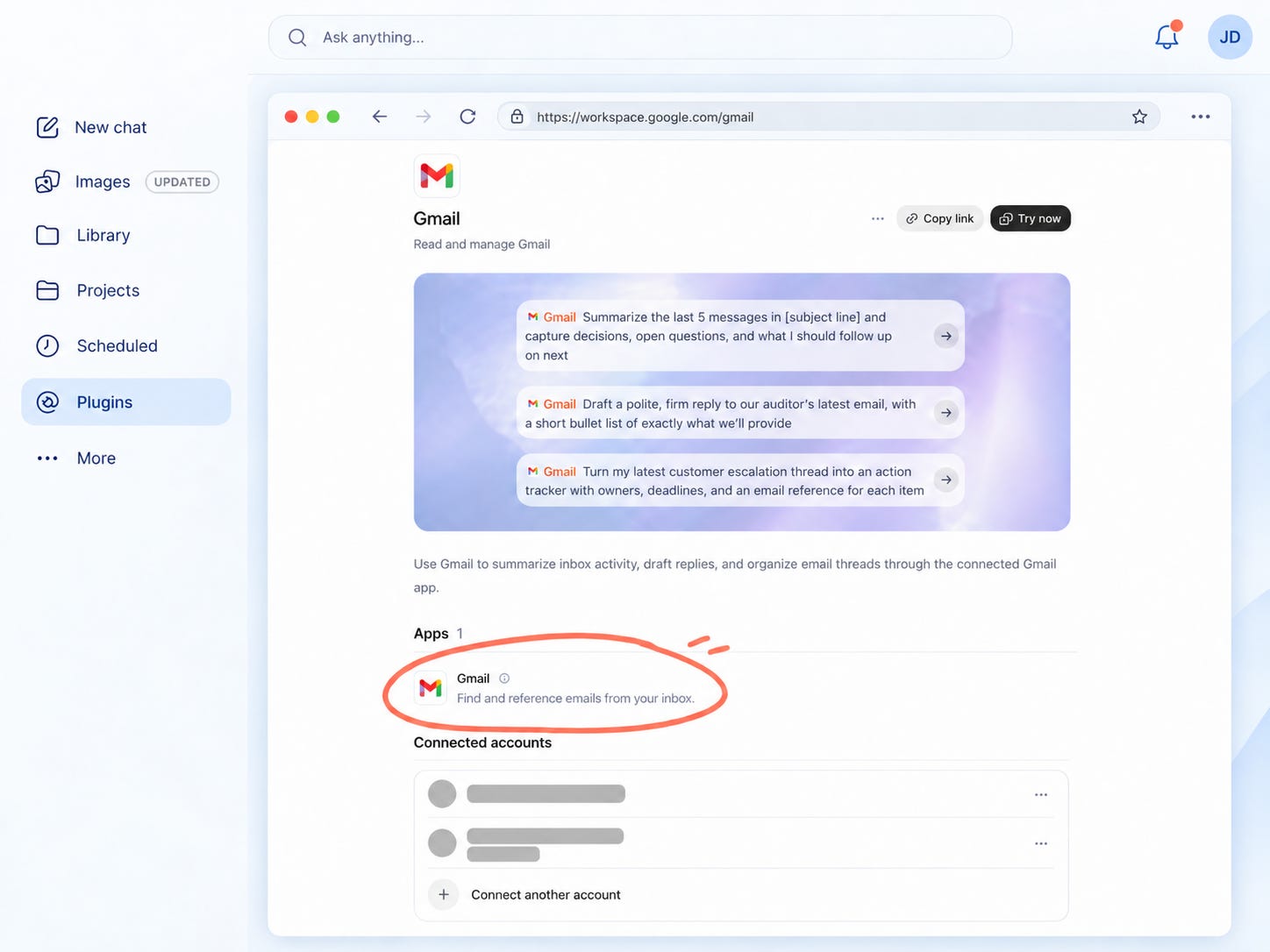
The one change was that now, in ChatGPT, you can connect multiple Google Workspace accounts. And so that solved tiny friction number one.
Instead of forwarding emails to one account and having duplicate copies, I could now work from the correct email accounts. And this led to the change in where the sorting happened. That meant I could move the scheduled sorter from Claude and stop relying on the forwarded copies to get everything into the process.
So first things first, the sorting rules that came from Claude covered the basics of what needed attention, what could be kept, and what was noise. That had already been worked out.
The change was where the sorting would reach the email. Each email should stay in its appropriate account when it arrived and then be sorted.
A few tiny tweaks to the sorting process, and that was an easy change.
And the best part was I didn't have to take a lot of time to figure it out. I put the old information or the instructions into ChatGPT and I said, let's fix this, and it did it all.
✳︎ ✳︎ ✳︎
The morning brief could run automatically too
So now that I had the proper way to sort two email accounts, I noticed there was another step I was doing by hand that I could automate to save time.
And that was the morning briefing. I know there's a lot out there about how easy it is to create a morning briefing, but my problem was the sorting was done in one AI and the briefing was done in another.
So I did the same thing as when I brought the sorting over: I asked ChatGPT to review the email briefing process and recommend the best way to automate this without breaking the next step in the system, which is my daily planning.
So by bringing the sorting over, it also gave me a way to schedule the brief too. Now I have a weekday morning task set up to do that review, and it's ready for me when I am ready to start my day. Now, don't get me wrong, it's not a done deal. I'm still refining the system, but this removed another step that depended on me remembering to start it.
✳︎ ✳︎ ✳︎
What has changed since you built your system?
This process isn't any different than any other process in your business. You build it, use it, and find ways to improve it. That applies to how you bring on clients, prepare for meetings, or even sort your emails.
Sometimes it's the tools that change, sometimes your needs change, and sometimes you notice that a step that you keep doing no longer serves the purpose it once did. And that is especially true as new features and benefits are added to AI and automation technology.
The forwarding workaround and the weekly cleanup were a small friction I had accepted because the sorting system was doing its job.
But when the connection option changed, I had a reason to not only improve the beginning of the sort system, but I had a reason to review other steps after that.
And you can do the same with a process you already use. Pick one that works but still requires a little bit of extra handling or has a small friction in it.
You don't need to have the solution figured out before you review it.
Use this prompt to review one process
Copy this into the AI you already use:
Help me review one process in my business and find one useful improvement.

Ask me one question at a time. Start by asking which process I want to review and what it needs to accomplish. Then help me walk through how it works now.

Find out which parts work well, where I repeat work or make manual corrections, and what has changed since I set it up. Consider changes in my needs, workload, people, tools, or available features.

Use my answers to suggest the smallest useful change. Explain what it would remove or improve, which working parts should stay, and what later steps depend on it.

After that, look at the steps that come next. Ask whether the change makes any other manual step unnecessary, and name it if it does.

Give me a simple way to test the change and tell whether it helped. If your suggestion depends on a tool feature, verify that feature or clearly tell me what I need to check.

Keep the review focused on this one process. Do not assume I need a new tool or a full rebuild.
As you make those changes, keep the context that helped you make them. What was working? Why did you change this part? What still needs to be tested? That gives you and your AI a place to start when you come back to refine the process again.
✳︎ ✳︎ ✳︎
If you want help keeping that information together, my Pick Up Where I Left Off subscriber perk gives you three AI prompts and simple project templates to record where things stand, the background behind your decisions, and what remains to be done. You can use it alongside the review prompt above to keep the context as your system changes.
The package is available to paid subscribers. Use it to leave yourself a clear place to return, so the next improvement can build on what you've already worked out.
Great prompt, Lee! I'm totally trying that!
I love the reminder that “working” isn’t the same as “finished.” Those little extra handling steps are so easy to accept because the system is doing its job. And half the time, the friction is us. We’re the ones remembering, forwarding, and cleaning up. Great nudge to go look at what I’ve been putting up with. 😉